
Home » Products » Broadcast » Loads and Attenuators » Smart Load Service
SPINNER SmartLoad Service
Thank you for your interest in the service and maintenance procedures for SPINNER SmartLoads!
Here you can access the latest manuals and documents and find out which updates are available for your SmartLoad and how to install them.
!!! IMPORTANT !!! To get the latest updates, please make sure to register your SPINNER SmartLoad!
You will also receive information on how to proceed.
Service and Maintenance Procedure - Overview
Please note:
Depending on your devices’ power, different procedures apply. Please take your time to chose the right ones!
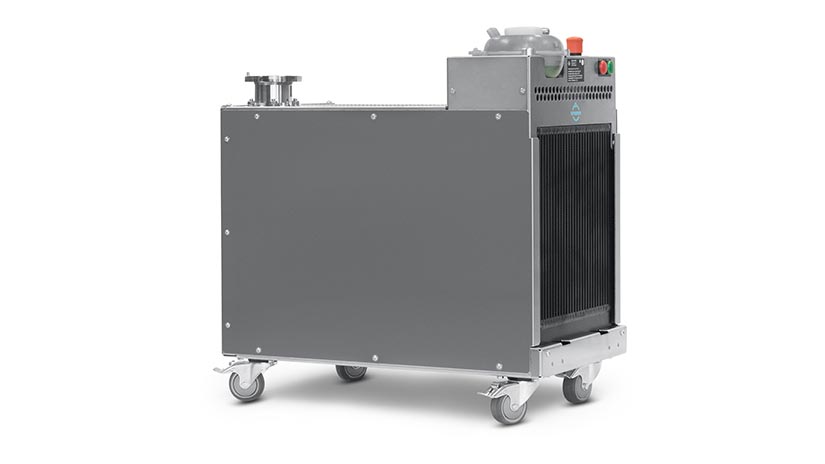
- Visual inspection & functional test
- Change tank caps
1a Reject Loads: Functional test
1b Station / Test Loads: Functional test
2 Coolant change
3 Set idle speed
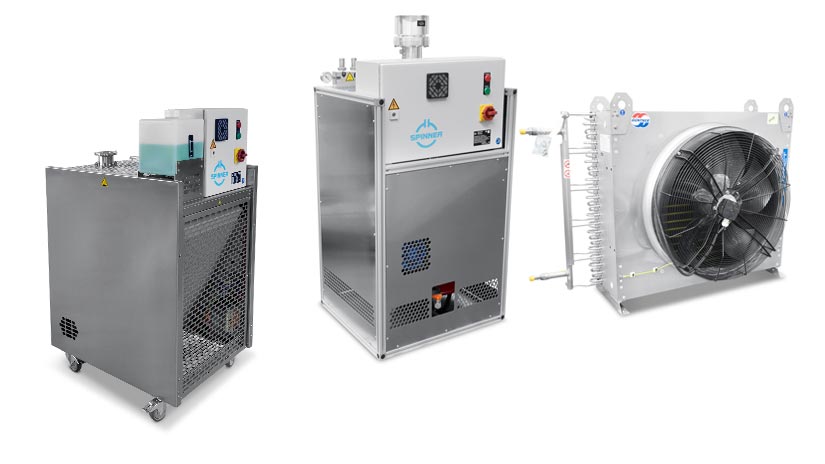
- Visual inspection & functional test
- Change tank caps
1a Reject Loads: Functional test
1b Station / Test Loads: Functional test
2 Coolant change
3 Software
3a Software update
3b Software download
4 Power surge robustness
5 Indoor Loads only: Set idle speed
6 Installing the float and snap disc switch
Service and Maintenance Procedures for 10kW SmartLoads
Applying for BNs: 546423xxxxx
Service Notices
Visual Inspection & Functional Test
It is crucial to carry out the functional test described in the Service Notice Visual Inspection and Functional Test once a year. The videos below also explain the mentioned procedures.
Please fill out the checklist in the Service Notice for each load/test and send it back to our service team, who will get in touch with you in case of irregularities: after-sales-service@spinner-group.com.
Change Tank Caps
If you receive a new tank cap from our service team, please follow these instructions:
Training Videos for 10kW SmartLoads
1a: 10kW Reject Loads: Functional Test
This video shows how to do a functional test of your 10kW SmartLoad used as a reject load.
1b: 10kW Station / Test Loads: Functional Test
This video shows how to do a functional test of your 10kW SmartLoad used as a station load.
2: Coolant Change of 10kW SmartLoads
This video explains how to change the coolant of your 10kW SmartLoad.
It also shows how to flush the system in case the coolant type is changed.
3: Set Idle Speed
This video shows how to set idle speed for coolant pumps.
You will also find this procedure explained in chapter 4 of the corresponding
Service Notice Visual Inspection and Functional Test.
Service and Maintenance Procedures for 25-55kW SmartLoads
Applying for BNs: 546404xxxxx, 546430xxxxx, 546434xxxxx, 546435xxxxx, 546437xxxxx,, 546439xxxxx
Service Notices
Visual Inspection & Functional Test
It is crucial to carry out the functional test described in the Service Notice Visual Inspection and Functional Test once a year. The videos below also explain the mentioned procedures.
Please fill out the checklist in the Service Notice for each load/test and send it back to our service team, who will get in touch with you in case of irregularities:
after-sales-service@spinner-group.com.
Change Tank Caps
If you receive a new tank cap from our service team, please follow these instructions:
Training Videos for 25-55kW SmartLoads
1a: Reject Loads: Functional Test
This video shows how to do a functional test of your SmartLoad used as a reject load.
1b: Station / Test Loads: Functional Test
This video shows how to do a functional test of your SmartLoad used as a station load.
2: Coolant Change
This video explains how to change the coolant of SmartLoads.
It also shows how to flush the system in case the coolant type is changed.
3: Software Update
It’s important to use the right software for your load model. Using the latest update gives you better overall protection and ensures smoother operation:
The following two videos explain how to update your load and install the correct software update.
You will also find these procedures explained in chapter 4 of the Service Notice Visual Inspection and Functional Test.
3a: Software Update
This video shows how to install the update from pre-programmed SD cards.
3b: Software Download
This video shows how to download the latest software for your load from our website. We encourage everyone to use this process as it is the quickest way to get the latest updates.
4: Power Surge Robustness
This video explains how to achieve greater resistance to mains power fluctuations.
You will also find this procedure explained in chapter 5 of the Service Notice
Visual Inspection and Functional Test.
5: Indoor Loads Only: Set Idle Speed
This video shows how to set idle speed for coolant pumps.
Note: Only for SmartLoads with internal heat exchangers.
You will also find this procedure explained in chapter 6 of the Service Notice
Visual Inspection and Functional Test.
6: Installing the Float and Snap Disc Switch
In this video you can learn how to install the float switch and snap disc switch correctly. Please also see the installation instructions being enclosed to the matching installation kit.
Also the latest version of the installation instructions can be downloaded here:
Coming soon:
We will provide more details about maintenance and service work on this SPINNER SmartLoad Service page!
Datasheets, Manuals and Documentation
Our Product Finder contains extensive information and recources on all part numbers. Enter a part number and click on the search tab.
Remote Training and One-on-One Help From Us in Germany
Sessions are available on an individual basis. To register, send an email to after-sales-service@spinner-group.com.
Please contact our service team (after-sales-service@spinner-group.com) if you have any questions or need assistance!
Contact with SPINNER
SPINNER GmbH
Erzgiessereistr. 33 | 80335 Munich | Germany | Phone +49 (89) 12601-0